Lovable is one of the most powerful AI app builders available today. It takes a natural language description of what you want to build and generates a full-stack web application: React frontend, Supabase backend, authentication, database schema, and deployment, all from a single prompt.
But Lovable is not just a prototyping tool. With the right workflow, you can use it to build and ship production-ready applications without writing traditional code. This approach is central to what practitioners call vibe coding, using AI to translate ideas directly into working software.
This tutorial walks you through how Lovable works, its core features, and how to get the most out of it for real projects. Browse all our courses to find the right fit.
Key Takeaways
- Lovable generates real React and TypeScript code you fully own, not proprietary abstractions, so you can export to GitHub and continue in any IDE at any time.
- The prompt-to-app loop pairs a React/Tailwind frontend with a Supabase backend (auth, Postgres, RLS, storage) from a single natural language description, often in under a minute.
- Business logic stays secure by routing through Supabase Edge Functions, keeping API keys server-side and maintaining a clean UI → API → External Services separation.
- GitHub integration and webhooks enable event-driven automation, such as triggering AI analysis on pull requests, turning Lovable apps into active workflow tools, not just dashboards.
- Writing a detailed initial prompt (including user flows, key pages, and data model) and iterating through chat is the core workflow; a comprehensive PRD before prompting significantly reduces iteration time.
Learn this hands-on
Go from idea to a live product with real users. Build and ship your first SaaS with Claude Code in a live cohort, with auth, payments and deployment done by the end. Join the Ship Your First SaaS with Claude Code cohort.
How Lovable Works
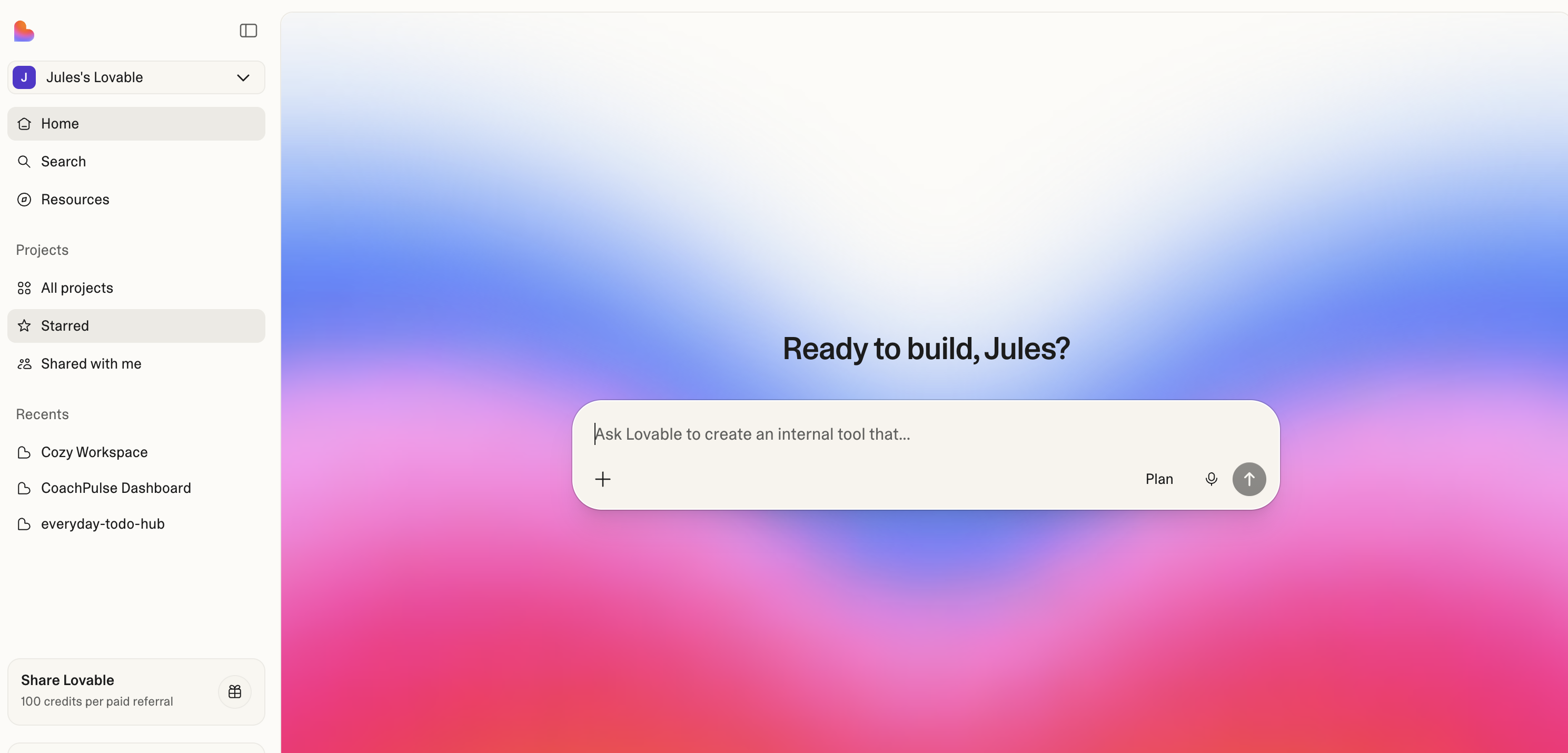
Lovable's core loop is simple: describe what you want, and Lovable builds it.
You start by writing a prompt that describes your app. Lovable generates a complete working application with a React frontend styled with Tailwind CSS, connected to a Supabase backend for data storage, authentication, and server-side logic.
From there, you iterate through chat. Every change you request, adding a page, modifying a component, connecting an API, Lovable implements by modifying real code. Not abstractions, not drag-and-drop widgets, but actual React components and TypeScript files that you own from day one.
This is what makes Lovable different from traditional no-code tools. The output is real, production-grade code that you can export to GitHub, check our best AI coding assistants guide for tools to continue development, open in Cursor or VS Code, and continue developing with any tool you want. If you are evaluating code editors, see our Windsurf vs Cursor comparison. If you are deciding between these two tools, our Lovable vs Cursor comparison breaks down exactly when to use each.
Lovable's 10 Core Features
Here is what makes Lovable stand out as an AI app builder in 2026.
1. Prompt-to-Full-Stack App Generation
Describe your product in natural language and Lovable generates the entire stack:
- Frontend built with React and Tailwind CSS
- Backend logic hooks and service layers
- Database schema suggestions via Supabase
- Auth-ready architecture with login flows pre-configured
This goes far beyond UI prototyping into real app scaffolding. A single well-crafted prompt can produce a multi-page application with navigation, data models, and working authentication in under a minute.
2. Chat-Based App Evolution
You do not just generate once, you iterate by chat. This is where Lovable truly shines.
Tell it "add an onboarding flow," "refactor this page into smaller components," or "split this logic into a service layer," and Lovable modifies real code across your project. Each iteration builds on the previous state, so your application evolves naturally through conversation.
The chat interface also understands context. It knows what pages exist, what components are rendered where, and how your data flows. This means you can make high-level requests without specifying every implementation detail.
3. Production-Ready Frontend Code (You Own It)
Everything Lovable generates is yours:
- Clean React components with proper separation of concerns
- Tailwind-based design system that follows modern conventions
- Full GitHub compatibility from day one
- No vendor lock-in, you can leave Lovable at any point without rewriting
This is critical. Many AI builders generate proprietary code that traps you in their ecosystem. Lovable generates standard React and TypeScript that any developer can read, modify, and deploy independently.
4. Supabase-Native Backend Integration
Lovable is designed to pair naturally with Supabase, giving you a complete backend without managing servers:
- Authentication: email, OAuth, magic links, all pre-configured
- Postgres database: full relational database with migrations
- Row-Level Security (RLS): granular access control at the database level
- File storage: upload and serve files directly from Supabase
Supabase becomes your source of truth. Your data, your users, your auth, all living in an open-source PostgreSQL database that you control completely.
5. Edge Functions as Your API Layer
Instead of embedding business logic in the frontend, Lovable leverages Supabase Edge Functions for server-side operations:
- Business logic lives in Edge Functions, not in React components
- Secure server-side execution for sensitive operations
- Ideal for integrations, automation pipelines, and AI API calls
- Clean separation: UI → API → External Services
This architecture turns Lovable into a frontend plus orchestration layer rather than a monolith. Your API keys stay server-side, your business logic is testable, and your frontend stays lean.
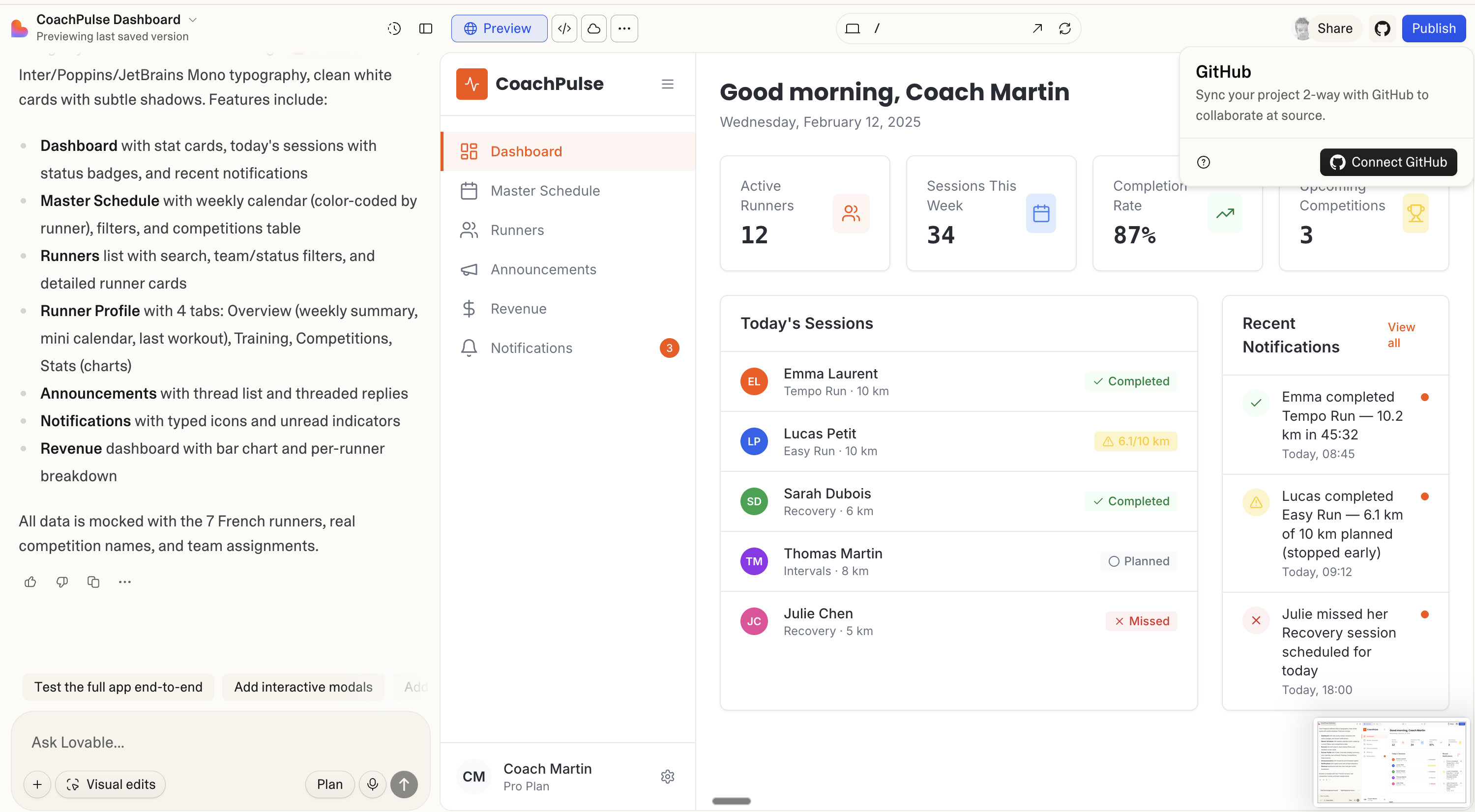
6. GitHub Integration
With Supabase Edge Functions, you can safely connect to GitHub's API:
- Connect via OAuth or GitHub Apps
- List repos, branches, and commits
- Create branches, commits, and pull requests programmatically
- Comment on PRs or react to events
No GitHub tokens ever touch the client. Everything runs through Edge Functions, keeping your credentials secure.
7. GitHub Webhooks for App Automation
Take GitHub integration further with webhooks:
- Push and PR events trigger Supabase Edge Functions
- Events can update your database state automatically
- Build workflows like: PR opened → AI analysis → automated comment
- Power internal tools or AI agents that respond to code changes
This enables event-driven applications, not just static dashboards. Your Lovable-built app can react to real-world events and automate complex workflows.
8. One-Click Deployment and Custom Domains
Getting your app live is trivial:
- Instant preview environments for every version
- Shareable URLs for stakeholder review
- Production deployment without DevOps friction
- Easy handoff to custom hosting when you are ready to scale
You can go from prompt to production URL in minutes, which makes Lovable ideal for rapid validation and MVP launches.
9. Visual Editing and Live Preview
Lovable includes visual editing capabilities alongside the code generation:
- Figma-like UI tweaking for fine-grained adjustments
- Immediate feedback loop, see changes as you make them
- Designers, PMs, and engineers can collaborate in the same environment
- Visual changes stay aligned with the underlying code
This bridges the gap between design and development. Non-technical team members can make UI adjustments without touching code, while developers maintain full control over the codebase.
10. AI-Augmented Product Features
Lovable makes it straightforward to add AI capabilities to your application:
- AI assistants and chatbots
- Content analysis and summarization
- RAG-style document search
- Automated workflows triggered by user actions
These features are typically powered by Edge Functions calling external APIs (OpenAI, Anthropic, etc.), keeping your API keys secure and your architecture clean.
Getting Started: Your First Lovable App
Here is a practical workflow for building your first application with Lovable. For a complete end-to-end walkthrough, our vibe coding tutorial covers the full stack from design to deployment.
Step 1: Write a Detailed Prompt
The quality of your initial prompt directly determines the quality of the generated app. Include:
- What the app does, describe the core user flows
- Who it is for, specify the target user
- Key pages, list the main screens and navigation
- Design preferences, mention colors, typography, or reference designs
- Data model, describe what information the app stores
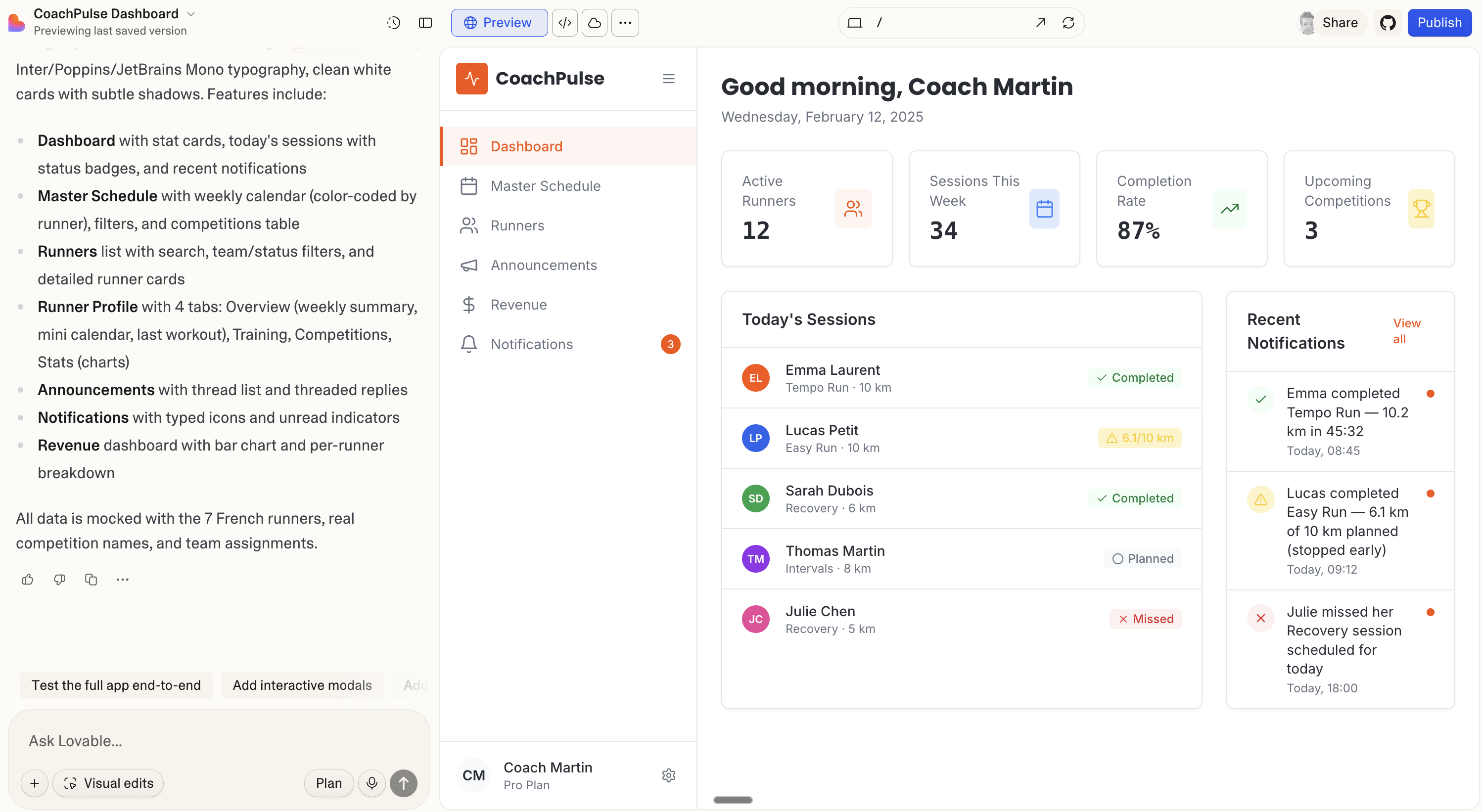
A prompt like "build me a dashboard" produces generic results. A prompt like "build a coaching dashboard for running coaches that tracks athlete sessions, displays weekly schedules with color-coded calendar entries, and shows completion rates with stat cards" produces something you can actually use.
Step 2: Iterate Through Chat
Once the initial app is generated, refine it through conversation:
- "Add a settings page with profile editing"
- "Connect this to Supabase for persistent data"
- "Add authentication with email and Google OAuth"
- "Create an API endpoint for generating weekly reports"
Each iteration builds on the previous version. Lovable maintains context across the conversation, so you do not need to re-explain your app with every request.
Step 3: Connect Supabase
When you are ready for real data and authentication:
- Create a Supabase project (free tier works fine for development)
- Connect it through Lovable's built-in Supabase integration
- Lovable will set up tables, authentication, and RLS policies
- Your app now has persistent storage and real user accounts
Step 4: Export and Extend
Once your app reaches a solid state:
- Push to GitHub with one click
- Open in Cursor or VS Code for advanced customization
- Deploy Edge Functions for server-side logic
- Set up custom domains for production
You can continue iterating in Lovable for UI changes while using a traditional IDE for complex backend logic. The two workflows complement each other.
Pro tip: Start with a comprehensive Product Requirements Document (PRD) before writing your Lovable prompt. The more specific your requirements, the closer the first generation will be to what you actually need. This saves significant iteration time.
When Lovable Is the Right Choice
Lovable is ideal when you need to:
- Validate an idea fast, go from concept to working prototype in minutes
- Build an MVP without hiring a development team
- Create internal tools for your business that need real data and auth
- Prototype complex UIs that go beyond what Figma can demonstrate
- Ship production apps when paired with Supabase and proper architecture
It is not the right choice when you need highly custom backends, complex real-time systems, or applications that require low-level performance optimization. For those cases, Lovable is still valuable as a rapid prototyping tool before moving to a traditional development workflow.
To get the most out of Lovable in any project, follow our vibe coding best practices, they apply directly to how you prompt, iterate, and structure your Lovable-built apps.
If you want a hands-on walkthrough of building a professional prototype with Lovable, check out our complete course: Build a Professional Frontend Prototype with Lovable, Bolt, or v0. It covers everything from crafting the perfect prompt to deploying a polished MVP.
For those ready to go all the way to production, our Master Course: Build and Ship a Production-Ready App with Lovable and Cursor takes you through the complete pipeline, frontend, backend, auth, database, and payments.
Conclusion
Lovable represents a fundamental shift in how applications get built. By combining AI-powered code generation with a real tech stack (React, Supabase, TypeScript), it lets you build production-ready applications through conversation.
The key insight is that Lovable is not replacing developers, it is giving everyone the ability to build software. As we discuss in why specialization beats all-in-one, combining specialized tools yields the best results. Non-technical founders can validate ideas. Product managers can prototype features. And developers can skip the boilerplate and focus on what makes their product unique.
Start with a clear idea, write a detailed prompt, iterate through chat, and ship. That is the Lovable workflow.